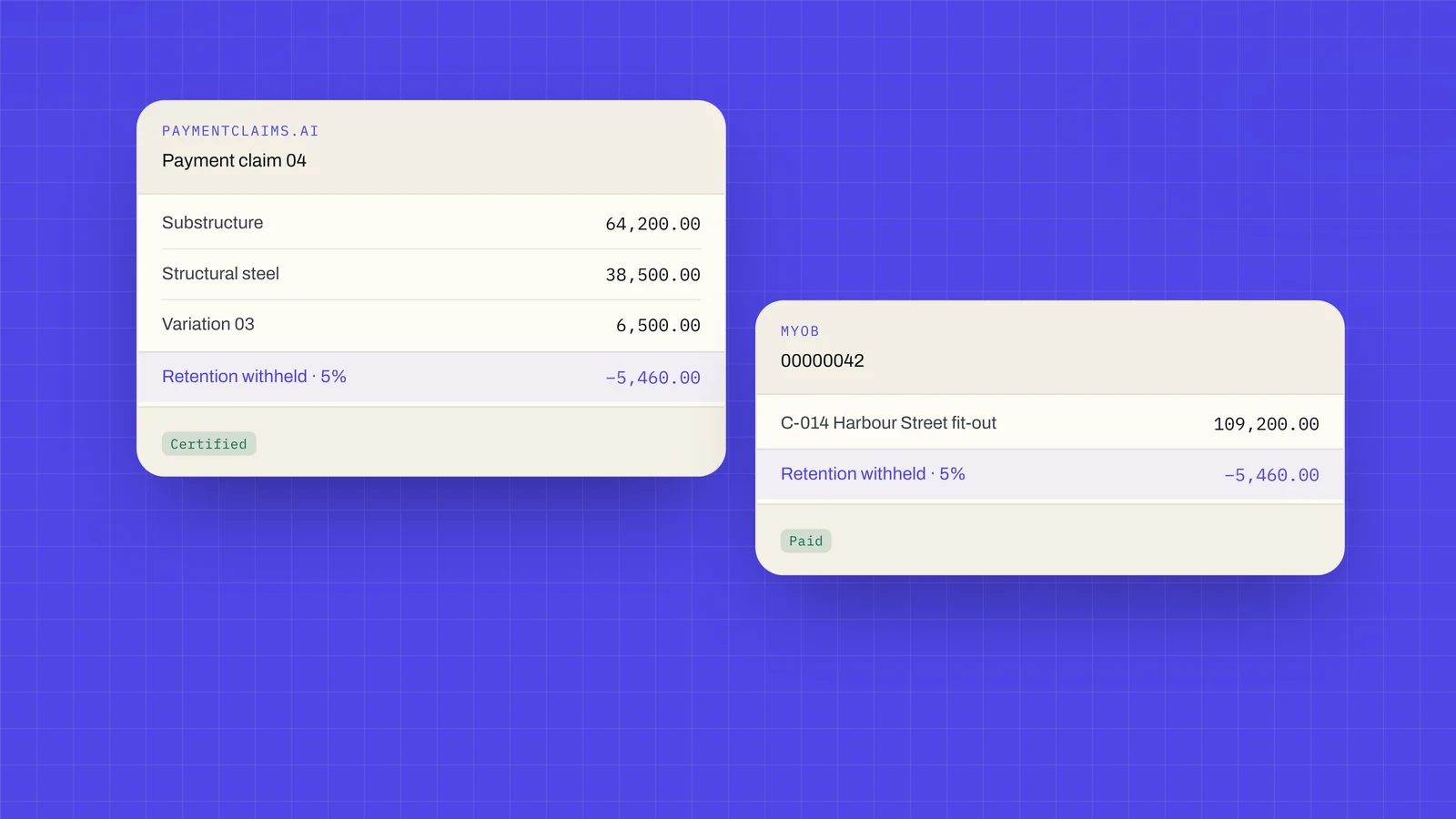
A company can now be connected to its MYOB AccountRight company file, the same way a company can be connected to Xero. MYOB was open to a few organisations in early access. From today it is open to every organisation.
Who can connect
MYOB is for Australian companies. The company file has to be Australian and kept online, and it is connected by an Administrator of the file. Every member of an organisation connected to MYOB signs in with two-factor. New Zealand files cannot be connected yet.
A company uses one accounting system, so it connects Xero or MYOB, not both. The connection is made per company.
What it does
- A claim you have served is raised as a tax invoice in your own MYOB company file, from the figures your head contractor certified or, where no payment schedule has been recorded, the ones you claimed.
- MYOB numbers the invoice, and the claim's number rides on its PO number, so the two can be matched.
- Retention withheld comes off on lines of its own, posted to the retention accounts you nominate.
- Payments and credits applied in MYOB come back to the claim, so what has been paid shows against it.
- An invoice that falls out of date is corrected from here. One with a payment already applied is corrected in place where your file allows changes, and the payment stays where it is.
- An invoice changed or deleted in MYOB is flagged on the claim, and you are emailed about it.
- MYOB can email the invoice from your own company file, and you see what it will send first.
- A retention write-off posts as a general journal.
- Counterparties link to their MYOB customer and supplier cards once and stay linked.
- Your accounts and tax codes are chosen once, from your own chart, and contract items can post to income accounts of their own.
- A head contractor's issued payment schedules can be recorded as bills in MYOB.
Nothing is written to MYOB until you confirm it.
What is never sent to AI
Nothing read from MYOB is ever sent to an AI model, and the same is true of Xero. The AI in paymentclaims.ai reads the documents you upload, never what is read from your books.
Connecting and using MYOB covers who can connect, what to set up first and what lands in MYOB. The MYOB integration page has the summary.
A record, not a manual
This entry says what changed on 25 October 2026, and it is not edited afterwards. The docs describe the product as it is today.